
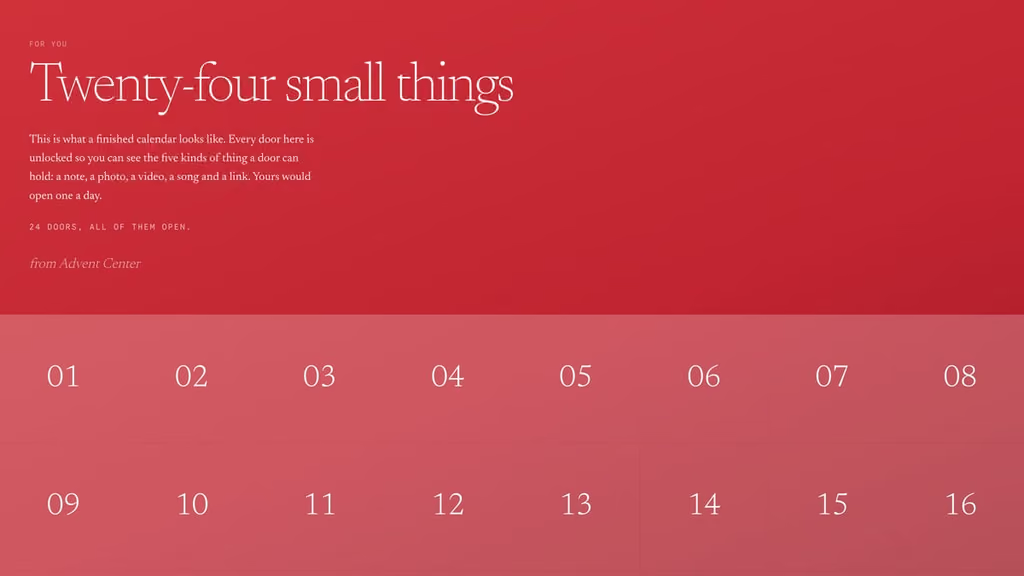
A digital advent calendar has the same problem as a paper one: twenty-four empty doors and a deadline. The difference is what fits behind a door. A note, a photo, a video, a song or a link to anything on the web, and none of it has to be wrapped. This is a list of twenty-four things to put behind those doors, one per door, whether you are making a virtual advent calendar for a partner in another country, an online one for the family group chat, or one for a team of forty.
Every idea below names what to paste, because the calendar maker takes exactly five kinds of thing: a note you type, a photo you upload or link to, a YouTube or Vimeo video, a Spotify track or playlist, and a link to any page. The doors are grouped by who the calendar is for. Take the group that fits, or take one door from each.
For a partner, near or far
The calendars that get opened every single morning are the ones made for one person. If that person is in another city or another country, the doors do something a parcel cannot: they arrive at the same time every day, wherever they are.
Door 1: The first photo of the two of you
Not the best one, the first one. Upload it, or paste the address of the picture if it is already online, and write where it was taken and what happened ten minutes later. The first door sets the tone for the other twenty-three, and a photo with a caption says more than a paragraph.
Door 2: The song that is yours
Paste the Spotify link to the track. One line underneath about where you first heard it together. The door plays it in place, so they do not have to go looking.
Door 3: A reservation
Book the table, the tickets or the cabin for a night in December, then paste the confirmation page or the venue's page as the link. The door is the invitation, and the date is already held. For a long-distance calendar, book it for the week you are together.
Door 4: Thirty seconds of you, unlisted
Record a short video on your phone, upload it to YouTube or Vimeo as unlisted, and paste the link. Unlisted means only someone with the link can find it, which is only them. It does not need to be good. It needs to be you saying one true thing.
Door 5: The day you land
For anyone counting down to a visit: the flight number, the arrival time and the terminal, as a note. Or paste a map link to the arrivals hall. The advent calendar becomes a countdown to the door that matters, and the maker lets you set which day the first door opens, so the calendar can start the day you book the ticket.
Door 6: A letter, the long kind
A note holds about nine hundred characters, which is a real letter. Write it by hand first, then type it in. Put this one in the middle of the calendar rather than at the end, so it is read on an ordinary Tuesday.
Six doors is a fifth of a calendar. Open the maker, fill these six, and the rest come easier.
For the family
A family calendar is opened on a kitchen tablet, at a grandparent's desk and on three phones, and each of them keeps its own count of which doors are open. Make it for the group, not for one of them.
Door 7: The recipe you always make
The biscuits, the mulled wine, the Christmas Eve soup: type it in as a note, with the quantities, or paste the link if it lives on a page. Put it early in the month so there is time to make it twice.
Door 8: A photo from the year they were born
For grandparents, a scanned photo from their year. For children, a photo from theirs. Caption it with the year and one fact about that December. Upload it small; the maker shrinks photos, but a phone-camera original is still the biggest thing a calendar carries.
Door 9: The film for the weekend
Paste a link to the film's page and write the plan underneath: Saturday, seven o'clock, blankets. Everyone who opens the door has the same appointment.
Door 10: A challenge for the children
A note, three lines long: build the tallest tower of cushions, draw the dog, learn one verse of one carol. Ask for a photo as proof. The calendar cannot receive the photo, but the family group chat can.
Door 11: The playlist for the car
Paste a Spotify playlist, yours or a public one, and label it for the drive it is for: to the grandparents', to the airport, to the tree farm.
For friends
A friends' calendar runs on shared history. The doors are shorter, the jokes are older, and nobody minds a photo from a bad year.
Door 12: The inside joke, as a video
Every group has a clip that started it. Paste the YouTube link. No caption needed; they will know.
Door 13: A photo from the worst haircut year
Upload it. Caption it with the year and nothing else. This is the door that gets screenshotted and sent back.
Door 14: The night everyone is free
A note with three dates and a question, or a link to the booking. The door does the organising that the group chat has failed to do since October.
Door 15: A song they hate that you love
Paste the Spotify track. Write one sentence defending it. Put it on a weekday.
For a team, or for customers
The same calendar works for forty people as for one, because it is a link: everyone who opens it gets their own copy, and nobody's opened doors are visible to anyone else. A team calendar is a daily reason to open something from you, in a month when inboxes are full.
Door 16: A code for the day
A discount code as a note, with the link to where it works underneath. One code per door, each one valid for a day, is what makes people open the next door.
Door 17: A thank-you, on video
The founder, or whoever the team would want to hear from, for a minute, on a phone. Upload it unlisted to YouTube and paste the link. It costs nothing and it is the door people mention afterwards.
Door 18: The year in one number
Orders shipped, tickets closed, kilometres driven, cups of coffee: pick the number that says what the year was, and write it as a note with one line of context.
Door 19: A free hour
Paste a booking link for a consultation, a demo, a call, a review. For a team calendar, make it an hour off: the note says which hour, and the manager signs it.
Door 20: The team, captioned honestly
A photo of the people, uploaded, with a caption that names them. For customers, it is the door that turns a company into people; for the team, it is the one that gets saved.
For yourself
You can make a calendar for one person and send the link to yourself. December is the month most people forget to look after themselves, and a door a day is a small way to remember.
Door 21: A question to write to
A note with one question: what did this year teach you that last year could not have. Answer it somewhere else, on paper. The door only asks.
Door 22: Fifteen minutes of nothing
Paste a link to a long, quiet video, a fireplace or a train window, and write the rule underneath: fifteen minutes, no phone in your hand. The door plays it in place.
Door 23: The thing you keep postponing
The dentist, the haircut, the class, the call: paste the booking page as the link. By the time the door opens you will have had twenty-two days to feel ready, which is twenty-one more than usual.
Door 24: A letter to next December
Write a note to the person opening next year's calendar, which is you. Say what you hope will have changed. Next year, copy it into door one.
Filling the doors

A few things that make the list above easier to build:
- Paste, do not describe. The maker recognises a YouTube or Vimeo link, a Spotify link, an image address or any web page, and shows you what the door will hold before you send it.
- Photos ride inside the link. An uploaded photo is shrunk and packed into the calendar's link, so twenty-four full-size photos make a long link. Paste a photo's address instead where you can, and upload the ones that matter.
- Doors open one a day by default. Set the day the first door opens; it does not have to be 1 December. Twelve doors from the 13th, twenty-five to Christmas Day, or thirty-one to New Year's Eve all work.
- The link is the calendar. Nothing is stored on a server, so there is no account and nothing to delete. It also means the link is the only copy: keep it.

Start with door one. The digital advent calendar maker is free, needs no account, and most people finish one in an evening. If you would rather buy a calendar with something behind the doors already, every one we have opened is reviewed here.